

Your first station run
This walkthrough takes you from an empty project to a completed test. It uses the station's built-in print stage and one small custom stage to prove that a station can read a value from Station secrets. Use a disposable value such as Hello from HTF for this exercise. Stage logs appear in the station terminal and in HTF.
You need an HTF organisation and project, permission to create stations, uv, and a macOS or Linux machine that can reach app.embeint-htf.com and mqtt.app.embeint-htf.com:8883. The commands below use a shell on that station machine.
1. Create the station
- Sign in at app.embeint-htf.com, open your project, and select Stations.
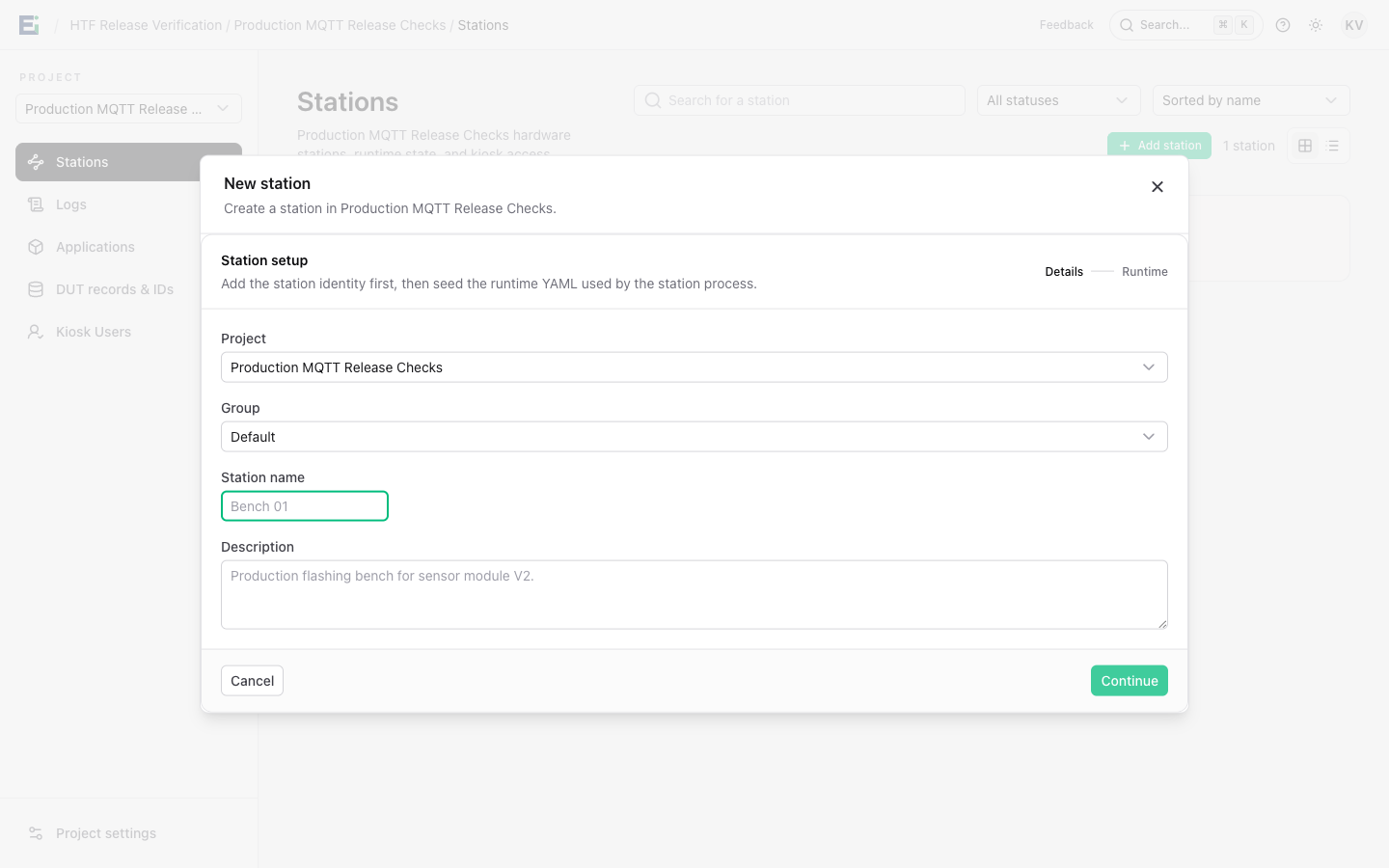
- Select Add station. Choose the project and group, and name the station, for example
Quickstart bench. - Select Continue to reach Station runtime YAML.
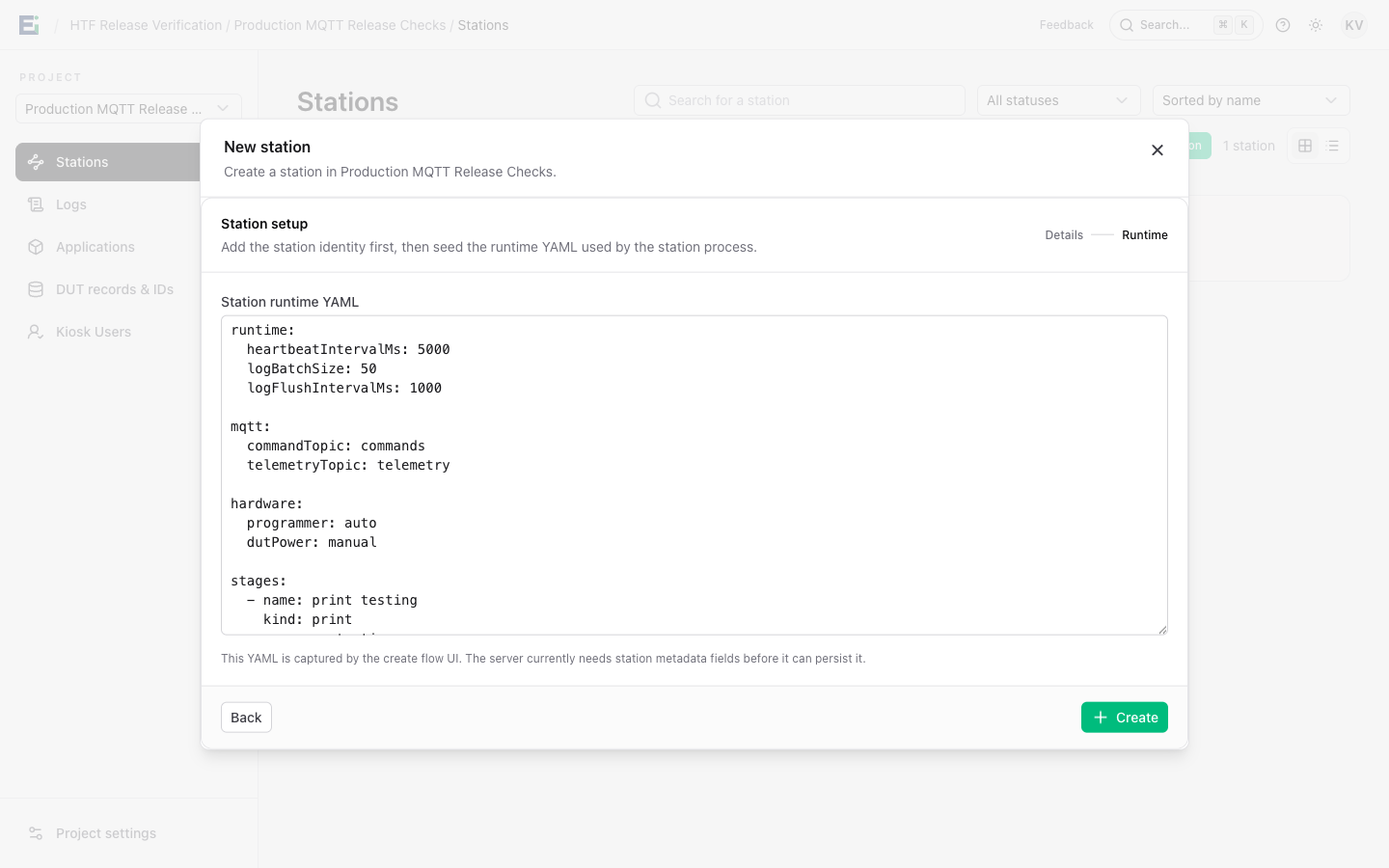
Replace the editor contents with this complete first-run plan. The first stage prints the DUT ID. The second uses the small Python stage added in step 5.
stages:
  - name: Print DUT ID
    kind: print
    message: 'Testing ${dut_id}'
    wait_seconds: 0

  - name: Print demo secret
    kind: print_demo_secret
Select Create. The Station keys dialog opens after creation.
2. Save the one-time keys and certificate
In Station keys, select Copy .env and save the copied text in a temporary protected location. It contains the station ID, organisation ID, MQTT username and password, API key, server address, and certificate paths. The API key and MQTT password are shown only once.
In the same dialog, under Station TLS certificates, select Issue and download. Save the ZIP bundle, then close the dialog. The bundle contains client.pem and client.key; the private key is also delivered only once. If you need to find the certificate controls later, open the station and select Station settings.
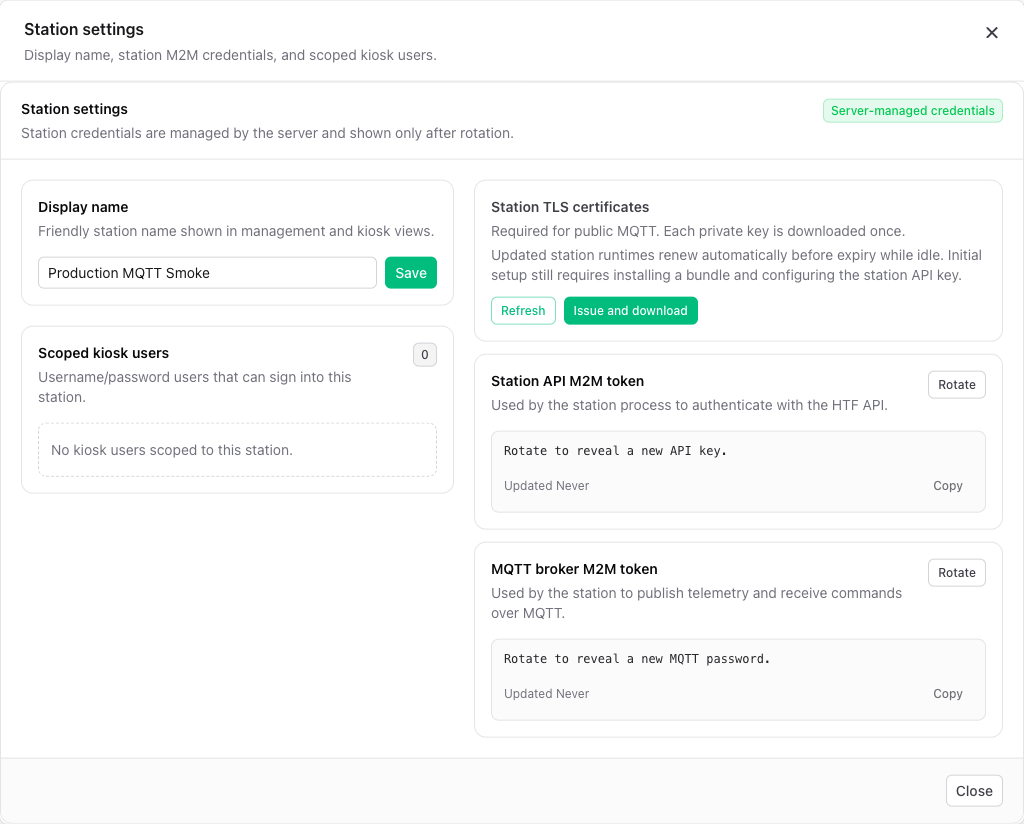
Keep the bundle outside the Git checkout. For example, after replacing the filename below with the file you downloaded:
install_dir="$HOME/.config/embeint-htf/quickstart"
bundle="$HOME/Downloads/PASTE_DOWNLOADED_FILENAME.zip"
mkdir -p "$install_dir"
chmod 700 "$install_dir"
unzip "$bundle" -d "$install_dir"
chmod 600 "$install_dir/client.key"
Check that client.pem and client.key are in that directory. The certificate proves this station's identity to the public MQTT broker; the MQTT username and password are still required.
3. Install the station sample and its credentials
Clone the station repository and install its dependencies:
git clone https://github.com/Embeint/embeint-htf-station.git
cd embeint-htf-station
uv sync --all-groups
cp samples/basic-station/.env.example samples/basic-station/.env
Open samples/basic-station/.env and replace its example values with the text from Copy .env. Change these two lines to the private certificate location used above:
HTF_MQTT_CLIENT_CERT=~/.config/embeint-htf/quickstart/client.pem
HTF_MQTT_CLIENT_KEY=~/.config/embeint-htf/quickstart/client.key
Confirm the file also has non-empty HTF_ORG_ID, HTF_STATION_ID, HTF_MQTT_USERNAME, HTF_MQTT_PASSWORD, and HTF_API_KEY. The production values should be HTF_MQTT_TRANSPORT=mtls, HTF_MQTT_HOST=mqtt.app.embeint-htf.com, HTF_MQTT_PORT=8883, and HTF_API_BASE_URL=https://app.embeint-htf.com. The .env file is ignored by the station repository; do not add it or the certificate bundle to Git.
4. Copy the local station YAML
Replace samples/basic-station/config.yaml with the following complete example. This local file tells the Python process how to connect and identifies the station. The stages section is a fallback for a direct run; HTF supplies the saved runtime plan from step 1 when the station connects.
mqtt:
  transport: mtls
  host: mqtt.app.embeint-htf.com
  port: 8883
  client_cert: ${HTF_MQTT_CLIENT_CERT}
  client_key: ${HTF_MQTT_CLIENT_KEY}

server:
  api_base_url: https://app.embeint-htf.com

station:
  org_id: ${HTF_ORG_ID}
  station_id: ${HTF_STATION_ID}

stages:
  - name: Print DUT ID
    kind: print
    message: 'Testing ${dut_id}'
    wait_seconds: 0

  - name: Print demo secret
    kind: print_demo_secret
The certificate paths and identity values are filled from .env when the sample starts. For a different HTF deployment, use its API and MQTT endpoints.
5. Add a demo secret and the stage that reads it
Open the station in HTF and select Station secrets. Enter DEMO_MESSAGE as the name and Hello from HTF as the value, then select Save secret. The value is shown only during entry. The station fetches current secrets when it starts or reconnects, so restart it after changing a value.
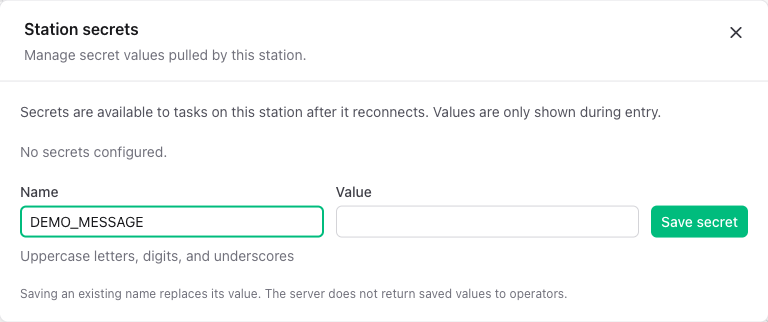
The built-in print stage does not substitute station secrets into YAML. To prove the value reached the station, replace samples/basic-station/main.py with this small sample. It registers print_demo_secret, reads DEMO_MESSAGE through the stage context, and prints it using the normal stage logger.
from __future__ import annotations

import argparse
import asyncio
from datetime import UTC, datetime
from pathlib import Path

from embeint_htf_station.config import StageSettings, load_settings_from_yaml
from embeint_htf_station.stages.base import StageContext, StageLogger, StageResult
from embeint_htf_station.stations import BasicStation


class PrintDemoSecretStage:
    def __init__(self, settings: StageSettings) -> None:
        self.settings = settings

    async def run(self, logger: StageLogger, context: StageContext) -> StageResult:
        started_at = datetime.now(UTC)
        value = context.require_secret("DEMO_MESSAGE")
        await logger.log("info", f"Demo secret: {value}")
        return StageResult(
            name=self.settings.name,
            outcome="passed",
            started_at=started_at,
            finished_at=datetime.now(UTC),
        )


def main() -> None:
    parser = argparse.ArgumentParser()
    parser.add_argument("dut_id", nargs="?")
    parser.add_argument("--listen", action="store_true")
    parser.add_argument(
        "--config",
        type=Path,
        default=Path(__file__).with_name("config.yaml"),
    )
    args = parser.parse_args()

    settings = load_settings_from_yaml(args.config)
    station = BasicStation(
        settings,
        stage_factories={"print_demo_secret": PrintDemoSecretStage},
    )
    if args.listen:
        asyncio.run(station.serve_forever())
    else:
        if not args.dut_id:
            parser.error("Enter a DUT ID, or use --listen")
        result = asyncio.run(station.run_once(args.dut_id))
        print(f"test finished: {result.outcome}")


if __name__ == "__main__":
    main()
context.require_secret("NAME") and use the result without logging it.6. Run a DUT and check the output
From the station repository root, run:
uv run python samples/basic-station/main.py DUT-001
The process connects with its certificate and MQTT credentials, pulls the runtime YAML and secret from HTF, runs both stages, and exits. The useful lines should look like this (timestamps are omitted here):
=======Print DUT ID=======
[Print DUT ID] - Testing DUT-001
=======Print demo secret=======
[Print demo secret] - Demo secret: Hello from HTF
test finished: passed
A missing DEMO_MESSAGE causes the demo stage to fail. Check the secret name in HTF, the station API key in .env, and whether the process restarted after the secret was saved.
To accept runs from HTF, start the station in listening mode:
uv run python samples/basic-station/main.py --listen
Leave that process running. In HTF, open the station and wait for it to show Online. Select Open kiosk view, enter a DUT ID such as DUT-002, and select Start test. Watch the stage progress and Console output in the kiosk, then open the station's Run logs to inspect the saved result. Stop the listener with Ctrl+C when you are finished.
If it does not connect
| Symptom | First check |
|---|---|
| Certificate or TLS error before connecting | Confirm client.pem and client.key exist at the paths in .env, the key is readable by the station account, and the system clock is correct. |
| MQTT authentication fails | Check the copied MQTT username and password and the broker host and port. |
| Secret is missing | Check HTF_API_KEY, the DEMO_MESSAGE name, and restart the station to fetch the latest secret. |
| Station stays offline | Keep --listen running and check access to the MQTT broker. |
| Kiosk cannot start a test | Wait for the station to be online and verify its saved runtime YAML has both stages. |
See Troubleshooting for more checks and Credentials and secrets for rotation and production use. When you are ready to add hardware flashing, follow Applications and firmware to upload and download a HEX archive and reference it from the station plan.