

Credentials and secrets
Each station gets its own MQTT username, MQTT password, and station API key when it is created. The provisioning values appear once. Store them in a protected environment file or secret manager on that jig.
HTF_MQTT_USERNAME=station-...
HTF_MQTT_PASSWORD=st_mqtt_...
HTF_API_KEY=st_api_...
The station also needs its organisation and station IDs and the endpoint values for the HTF deployment. The sample .env.example lists the supported variables.
For the public production broker, the station also needs its own TLS client certificate and private key. Select Issue and download in the Station keys dialog during setup, or open Station settings later. The ZIP contains client.pem and client.key; install them in a private directory outside the station repository. Set HTF_MQTT_TRANSPORT=mtls and point HTF_MQTT_CLIENT_CERT and HTF_MQTT_CLIENT_KEY at those files. See the first-run walkthrough for the exact steps.
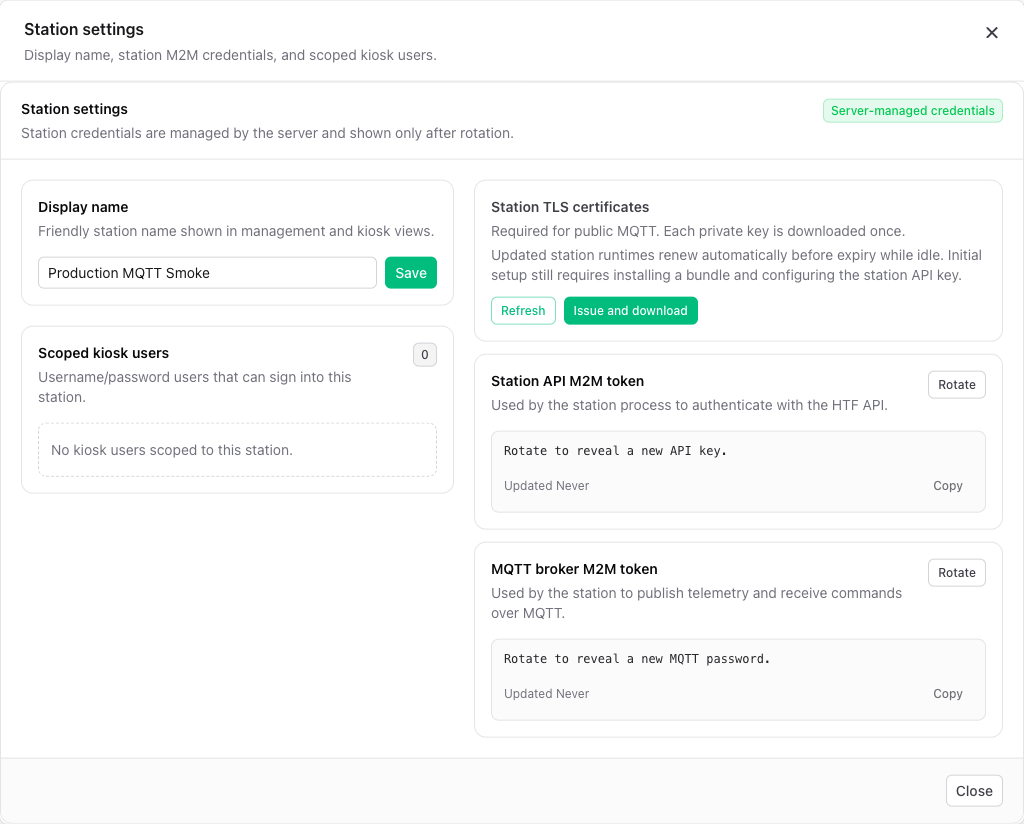
Rotate a credential
If a credential is exposed or a station connection may have been taken over, rotate it in the operator UI. Update that station's protected environment and restart it. Revoked values can no longer reconnect or call station APIs.
Station secrets
Operators with station management permission can save named station secrets in HTF. The station fetches them at startup or reconnect and holds them in memory for stages that need them. Changes are not hot reloaded; restart or reconnect after an edit. Custom stages can request a named value from their stage context.
Open a station and select Station secrets. Enter an uppercase name, its value, and select Save secret. The UI shows the name later but does not reveal the value again. A custom stage reads it with context.require_secret("NAME").
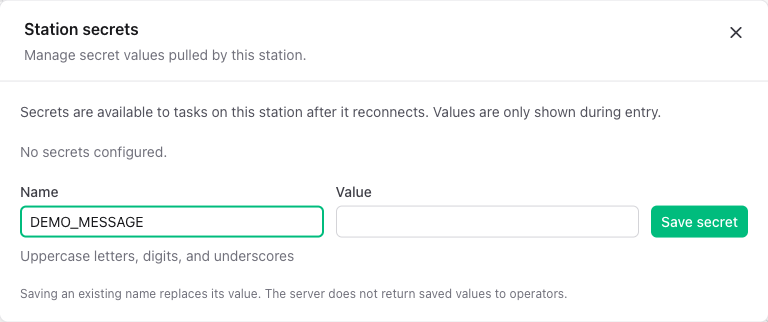
Keep secret values out of YAML, stage output, logs, and command-line arguments. A secret name can appear in configuration; its value should remain in the secret store and the process that needs it.