

Production workflows
Operator kiosk
Set up a station-specific screen for a production jig.
HTF supports kiosk users that belong to one station. A kiosk account is separate from a human team account and does not grant project-wide access.
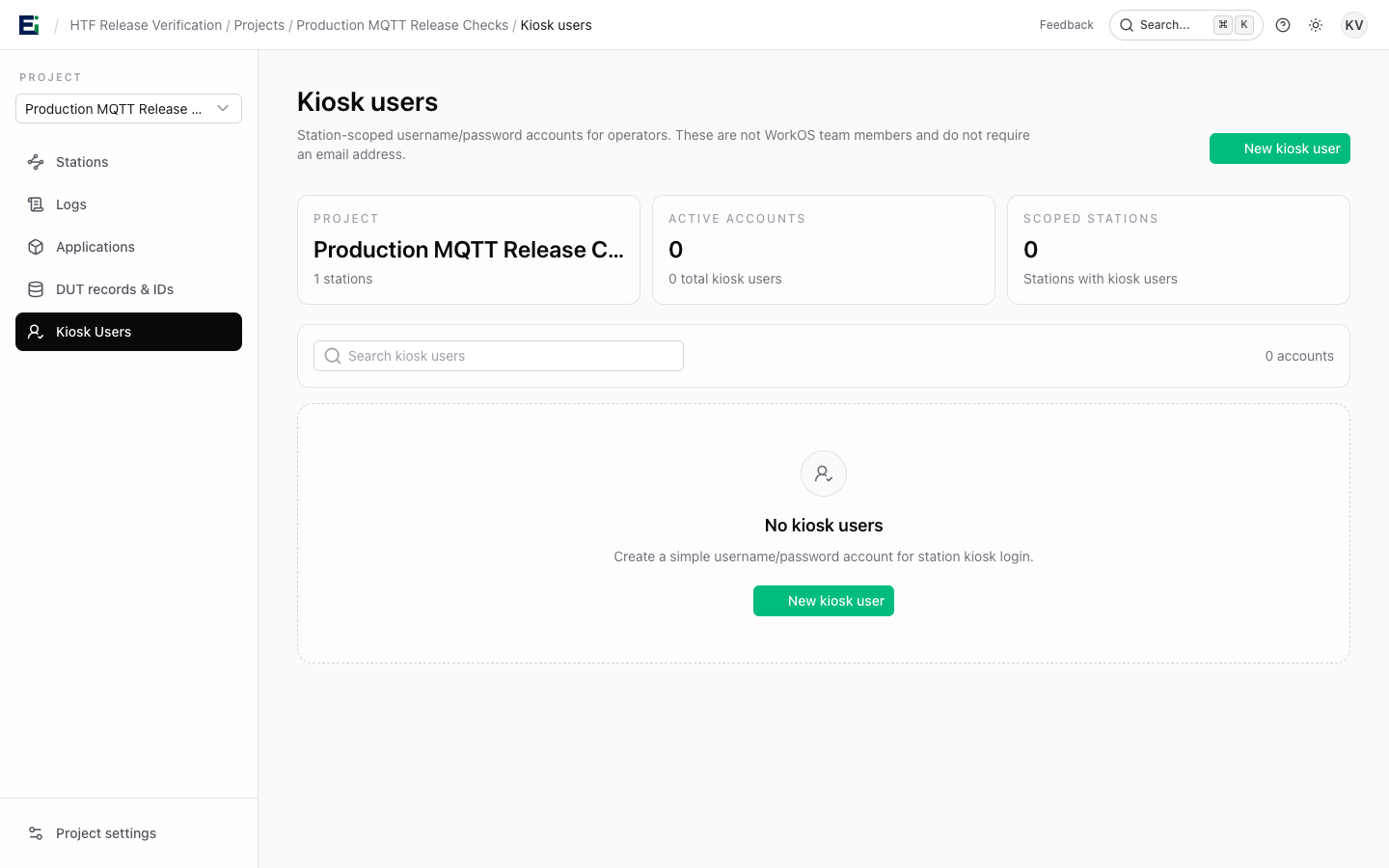
Create an account
- As an organisation owner or admin, open the project's Kiosk users page.
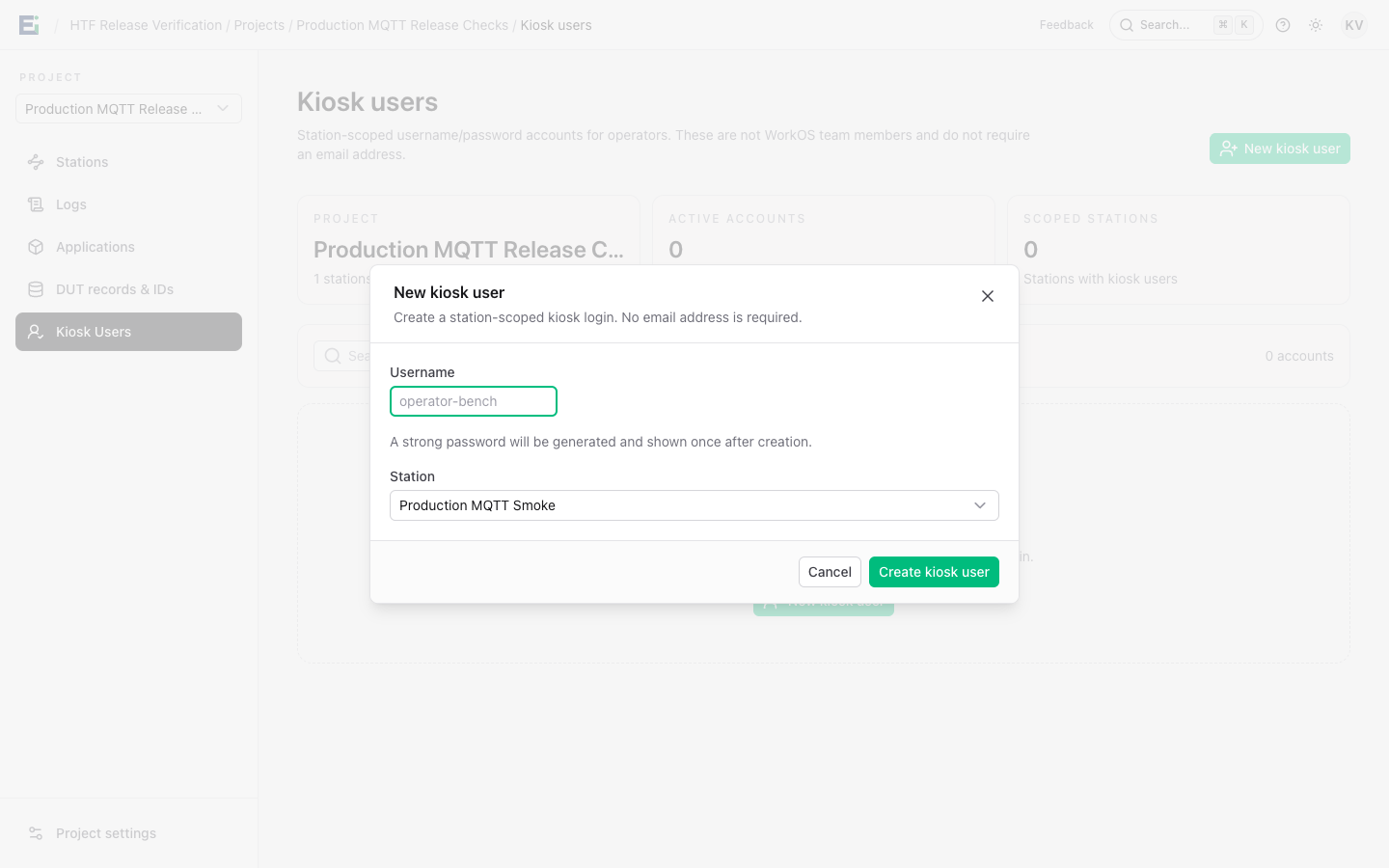
- Select New kiosk user, choose the station, and enter a username.
- Save the one-time password shown after creation.
- On the jig, open the station's
/stations/{stationId}/kioskpage and sign in with that username and password.
Use a dedicated browser profile for the jig. Do not sign in with a human HTF account in that profile. To revoke kiosk access, disable or delete the user, or reset its password. End kiosk session revokes the current session.
For a physical production jig, configure the operating system as a dedicated single-application session and keep maintenance access separate from the operator session. Your IT team should validate the OS lockdown on the actual hardware before handover.