

Custom roles
Custom roles let an organisation define access that differs from the built-in Admin, Operator, and Viewer roles. Organisation owners and admins manage definitions in Identity → Roles. A definition belongs to that organisation and can be assigned to multiple members.
Create a role
- Open Identity → Roles and select Create role.
- Enter a Role name, such as
Test supervisor. - Choose Project or Station under Scope. Project roles apply to a project and its stations; station roles apply to one station.
- Optionally choose Start from an existing role to copy its permissions.
- Select the explicit permissions the role needs. Use Filter permissions to find a resource or action.
- Select Create role, then assign it through Team, Project access in project settings, or an invitation.
For example, start from a project Viewer template and add run start/abort permissions for a supervisor who should operate tests without editing firmware or granting team access. Review the permission list before saving; a role name alone does not grant any actions.
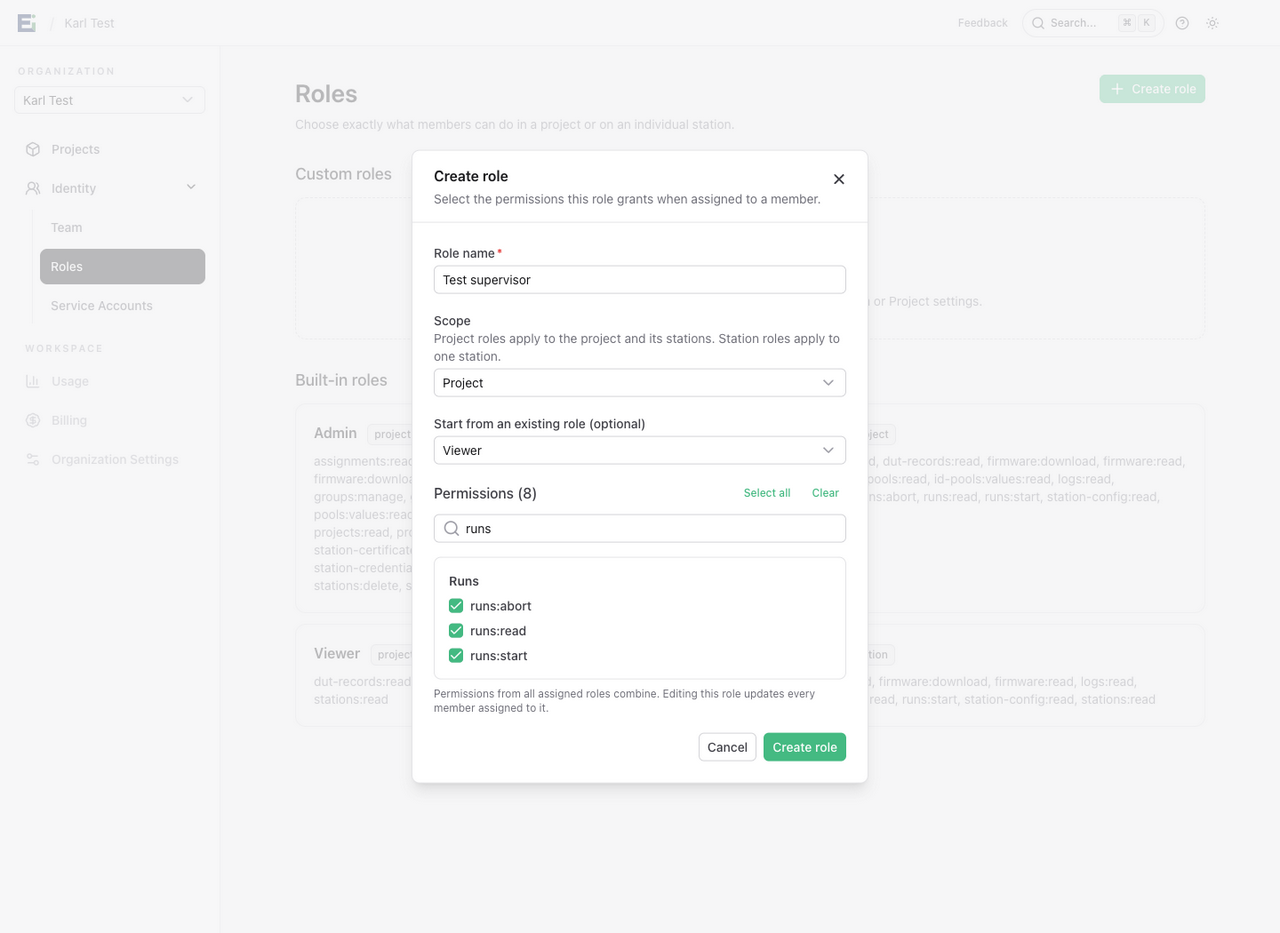
This screenshot shows an unsaved example in the demo workspace. Its eight permissions include the six from Viewer plus run start and abort.
A project role cannot grant organisation management. A station role cannot grant project management. Machine-only station runtime permissions are unavailable to human custom roles. Grant managers can only assign, replace, or remove grants within their own effective authority.
Edit a shared definition
Select Edit beside the role, change its name or permissions, and select Save changes. The change affects every member assigned to that definition, including their personal API key access limits and live station events. Permissions from their other applicable grants still combine with it.
The scope cannot change after creation. Create a separate definition if you need a station version of a project role. Built-in roles are read only. Names must be unique within a scope, ignoring case and surrounding whitespace, and cannot reuse a built-in role name.
Retire a role
Reassign its grants and resolve pending invitations that reference it, then select Delete. HTF blocks deletion while grants or unresolved invitations still use the definition.
If a role is no longer available when an invitation is accepted, the invitation needs administrator review. HTF does not silently replace it with a built-in role.
See Roles and permissions for the built-in access choices and how grants combine.