

Validate configuration
HTF v0.1.4 validates runtime YAML during station setup and shows detailed errors in Station configuration. Station runtime v0.3.0 also includes an offline check-config command for the local configuration and an exported server plan.
Fix errors in HTF
When configuration saving fails, read the specific validation messages shown by the form. Check indentation, field types, lane/programmer references, and dependency names rather than repeatedly submitting the same YAML. The station-creation form can show a generic HTTP 400 error; use the offline checker below to diagnose that plan before retrying.
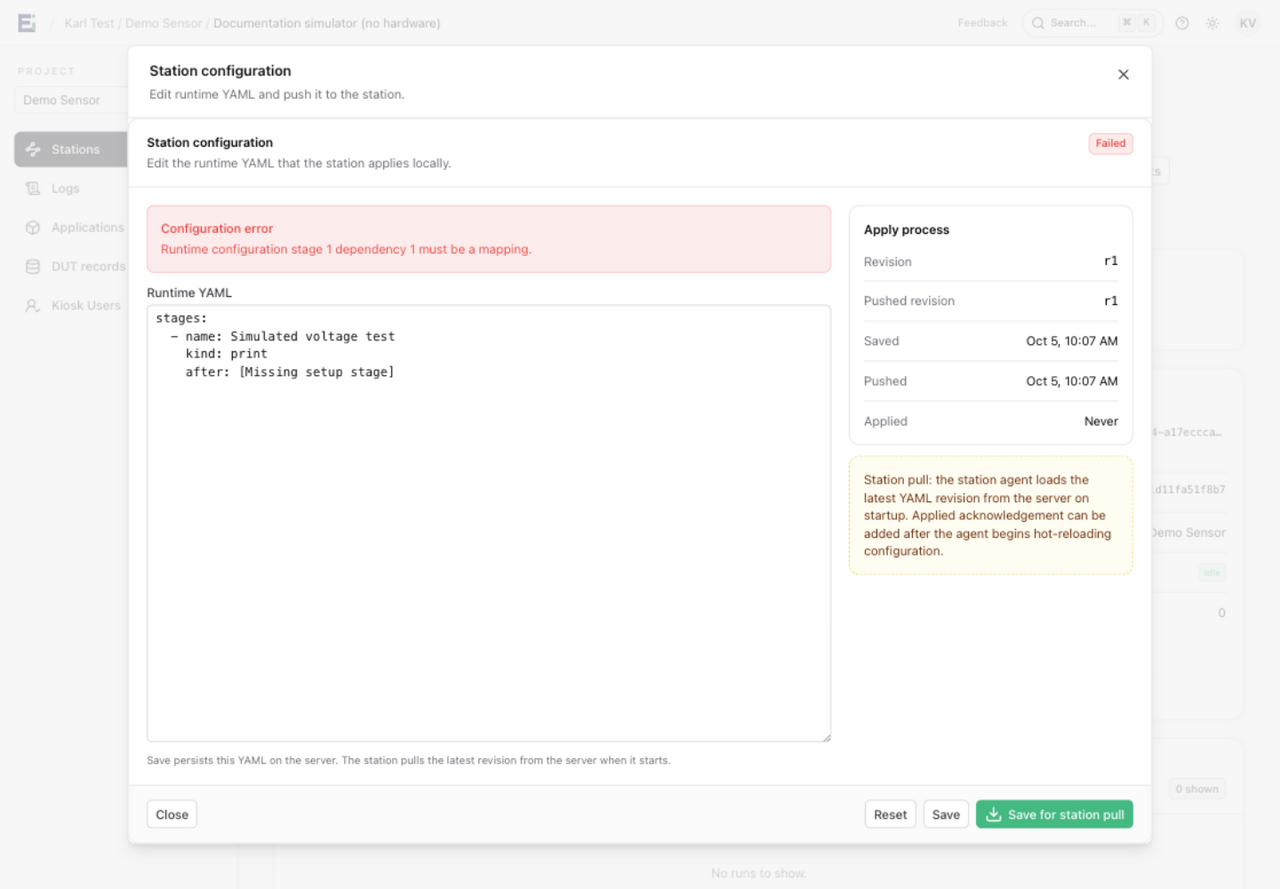
This example uses the Demo Sensor documentation simulator. Its after list contains a string where a dependency mapping is required. The rejected edit leaves the saved revision unchanged; see Multiple lanes for the dependency syntax.
An existing saved plan that fails validation is marked Saved configuration needs correction. Correct it and save a new revision. A successful save means the server has stored the plan; the station still needs to pull and apply it, and its custom stage code and hardware settings must be available locally.
Check locally without running hardware
Use the same environment variables and certificate paths as the station. From your station application directory:
uv run htf-station check-config config.yaml
uv run htf-station check-config config.yaml --runtime exported-runtime.yaml
Copy the runtime YAML from Station configuration into exported-runtime.yaml. The second command validates it against the programmers in the local file. The checker does not connect to MQTT or run hardware; it still loads the configuration, so missing environment values, invalid settings, or unreadable YAML files can fail the check. It checks the configured certificate/key path combination but does not establish that those files are readable or that TLS will connect.
Both YAML and Python-configured plans enforce at most 256 stages per lane and stage names of at most 128 UTF-16 code units. An ordinary ASCII name can contain 128 characters; an emoji may consume two units. Shorten overlong names and update every matching after dependency. Names are not truncated automatically. Split an oversized plan into suitable lane plans.
An offline check does not exercise firmware downloads, managed secrets, external services, custom stage behavior, or programmer connections. After it passes, run the complete plan on a bench jig before production use.
See Configure a station for plan examples and Upgrade a station for the v0.3.0 migration steps.