

Roles and permissions
HTF v0.1.4 adds built-in project and station roles. Organisation Owner and Admin retain access to all projects. An organisation Member receives access through grants to specific projects or stations.
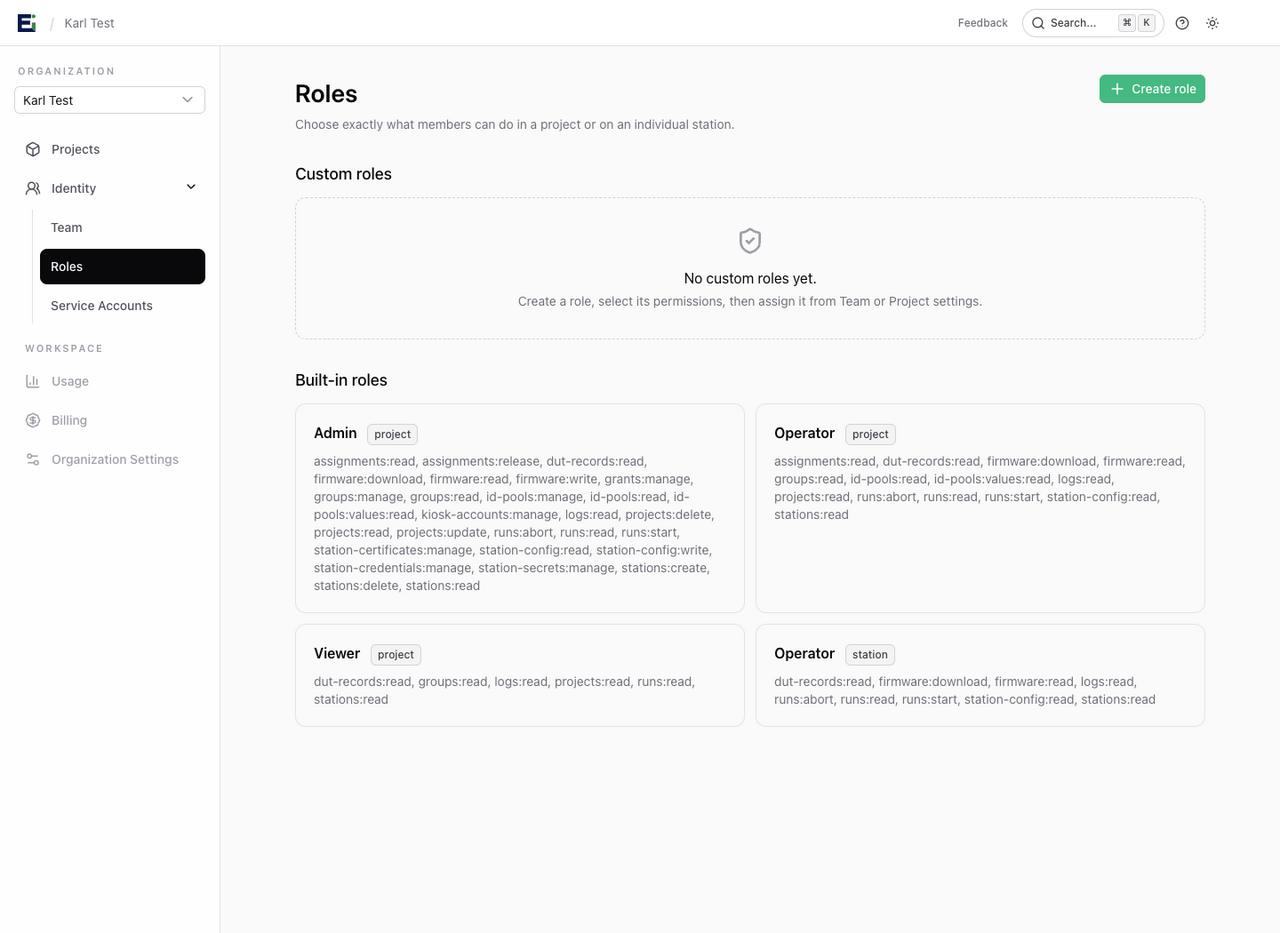
Choose a built-in role
| Role | What it allows |
|---|---|
| Project Admin | Manage the project, its stations, firmware, ID pools, and project/station grants. It does not allow organisation role changes, creating projects, invitations, or service-account management. |
| Project Operator | Read project resources and configuration, start and abort runs, download firmware, and read ID-pool values and assignment history. |
| Project Viewer | Read projects, groups, stations, runs, logs, and DUT captures. It does not allow run control or reading allocated/reserved ID-pool values. |
| Station Operator | Read and operate the directly granted station, without project-wide access or management. |
Permissions from applicable grants combine. For example, a project Viewer with a station Operator grant can inspect the project's results and start tests on that one station. Removing the station grant leaves the project Viewer access in place.
Assign access
Organisation owners and admins can manage access from Team. A project administrator can open the project's Settings → Project access panel to manage existing organisation members by email. Choose a project role, or select a station and assign a station role for narrower access.
Project administrators can only manage grants within their own authority. They cannot add a person outside the organisation or grant access to another project. Project access does not expose the organisation-wide member directory.
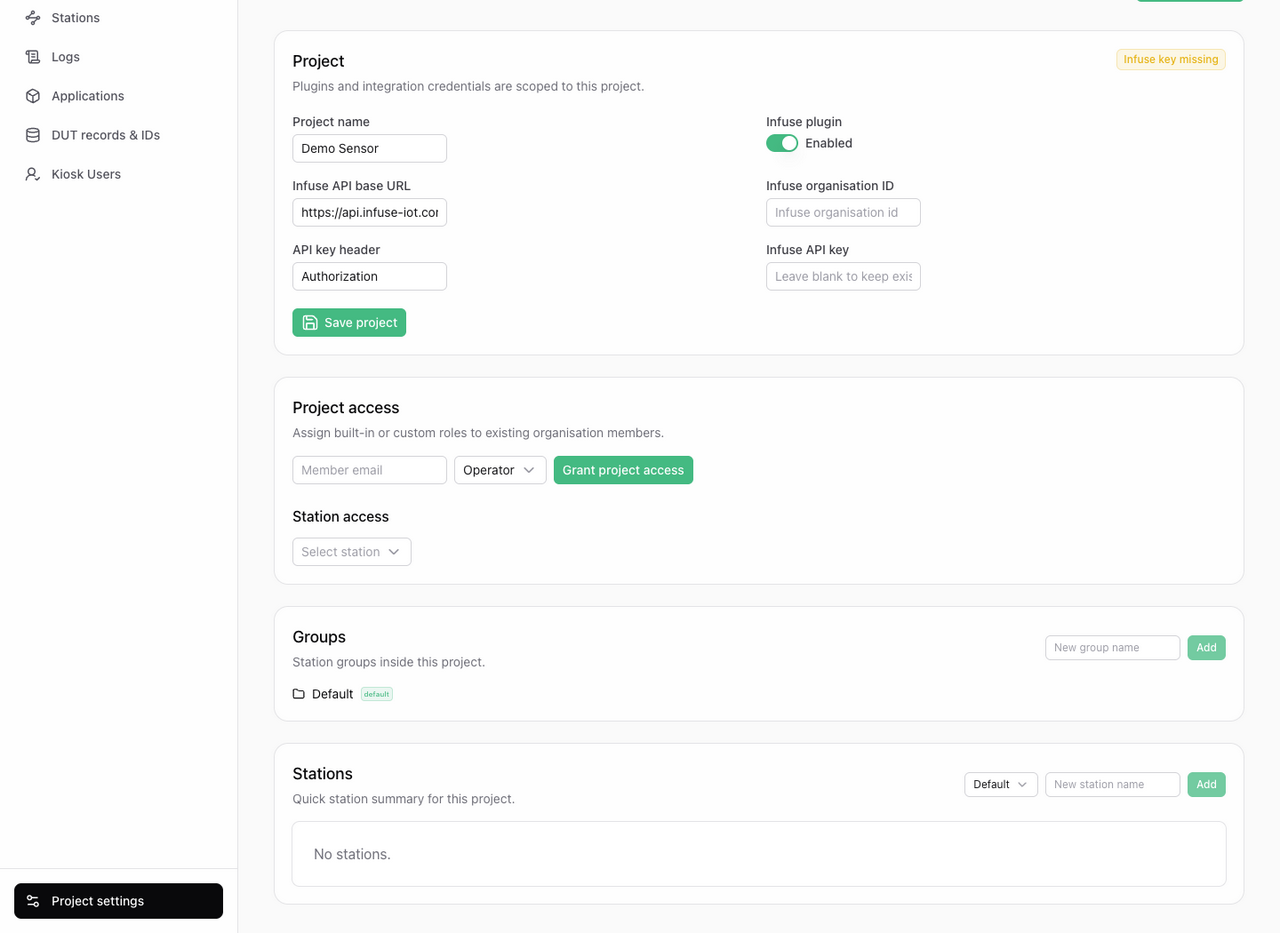
When an organisation administrator sends an invitation, they can select project and station roles, including custom roles. If a selected resource has no explicit role, its invitation defaults to Operator.
Understand what a reader can see
Captured DUT data and ID-pool assignments have separate permissions. A Viewer can inspect test captures, but the reserved and committed values in the same DUT record are hidden. A custom role can also restrict logs or captured data independently; those fields are omitted when the corresponding read permission is absent.
Access changes apply to subsequent requests and live station events without requiring a reconnect. Removing organisation membership stops live event delivery to existing connections.
Existing project Member grants are displayed as Operator after the update. Existing project Admin grants now include full project management, so organisation administrators should review who holds them.
Station runtime credentials and kiosk accounts have their own access boundaries. Human roles do not turn an integration key into a station credential; customer API keys remain read only.